
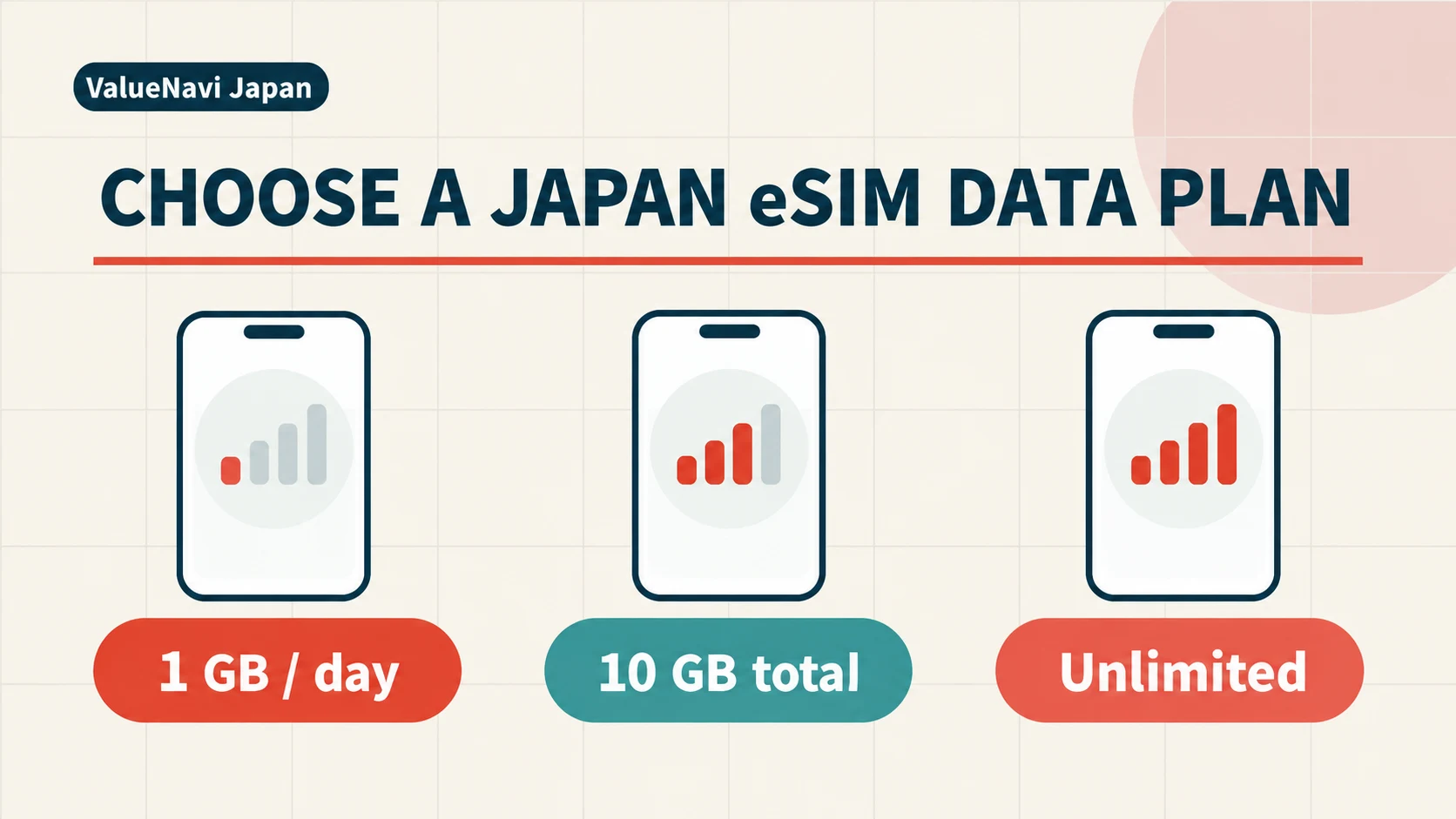
The most consequential word on a Japan eSIM listing is often “per”. A package marked 1GB for seven days gives you one gigabyte to spend across the trip; 1GB per day is a series of daily allowances. The labels look similar in a search result, but a week of navigation, tickets and messaging can exhaust the first package while leaving room in the second. Decide how the data is measured before comparing brands or prices.
Then look at your busiest mobile-data day. A visitor who mostly uses hotel Wi-Fi but needs maps and uploads throughout one theme-park day has a different pattern from someone streaming or working every day. A pooled allowance tolerates uneven days; a daily allowance is easier to budget when use is steady. “Unlimited” only helps when its high-speed and slowed-speed terms meet the use you actually have.
What the allowance buys
Airalo describes a fixed 1GB seven-day package as one total gigabyte available during the validity period. Using it all on the first day is possible. Klook's Japan listing 109393 shows both “data per day” and “data in total” product families, so two apparently identical 1GB labels can represent different quantities. Before checkout, write down the exact unit, validity trigger and whether unused daily data carries forward. It usually does not in a daily-bucket design.
The useful comparison labels are 1GB total, 1GB/day, 2GB/day, a 10–20GB pooled package, and an unlimited plan with a stated high-speed threshold. A week of 1GB/day offers seven separate opportunities to use up to a gigabyte; it is not equivalent to a 7GB pool because unused capacity on Monday cannot necessarily fund Saturday. The same distinction applies to 2GB/day versus 20GB over ten days.
↔ Scroll table left or right
Travel pattern | Compare first | Where it can go wrong |
Maps, messages and tickets; large media waits for Wi-Fi | Small pool or about 1GB/day | An unnoticed upload consumes the allowance |
Daily social media, music and attraction apps | About 2GB/day or a 10–20GB pool | Quiet days' unused daily data cannot rescue a busy day |
Mostly light days with one large transfer or park day | Total pool | A single daily cap can slow the busiest day |
Repeated laptop, upload or creator days | Large pool or transparent unlimited plan | High-speed service may end at a daily threshold |
Two people using one phone as a hotspot | Compare one shared line with two separate lines | Separation and host battery can leave one person offline |
The busiest day can overturn the average
For a rough stress test, divide the mobile data you expect on the heaviest day by what you expect on an ordinary day. If that ratio is around two or three, a pool deserves a close look. Imagine five days at about 0.5GB, a 2.5GB day and another 1GB day: the sum is 6GB, yet a 1GB/day product would constrain the 2.5GB day. A 10GB pool has room for that pattern. These numbers are an illustration of uneven demand, not measured traveller averages.
List the moments that create the peak: live navigation during a disrupted train journey, a full day at Tokyo Disney or USJ, a long transfer with no Wi-Fi, work calls, or photos uploading automatically. If they are occasional, paying for a much larger daily allowance on every quiet day may be wasteful. If the whole trip contains repeated heavy days, a larger package or an unlimited tier may be easier than watching a pooled balance decline.
When 1GB really is enough
One gigabyte for the whole week is a deliberate minimalist choice. It can cover occasional directions, messages and essential lookups if the phone spends most of its time on reliable Wi-Fi and does not back up photos over mobile data. It gives little margin for a first Japan trip that depends on live train alternatives, attraction apps, translation and daily uploads. The hidden cost is constant attention to remaining data.
At 1GB per day, routine maps, train searches, QR tickets, messaging and modest social use are more comfortable, provided each day is similar. Move large backups and app updates to Wi-Fi. A theme park, exhibition with app content, remote-work block or unusually long travel day can still outrun that one-day cap. Compare a total pool before jumping automatically to a higher daily tier.
Two gigabytes per day leaves more space for social posts, music and photos, and it may suit someone who uses media regularly but not intensively. Its weakness is structural rather than simply numerical. Over ten days it can expose up to 20GB, yet that data is sliced into daily limits. If a 20GB pool costs similarly and there is no need for a daily reset, the pooled version is more forgiving of a single busy day.
A pool for a variable itinerary
A 10–20GB total allowance is a practical comparison point when sightseeing days differ markedly. A slow Kyoto temple day, a Tokyo attraction day and an airport-transfer day do not impose the same workload. Airalo's fixed-data explanation says the purchased amount is available over the package validity period, while Saily currently lists Japan fixed packages including 10GB and 20GB with 30-day validity. Check the exact product because the term and activation rule belong to the selected package, not to the provider name in general.
The pool can also be used up early. If photos, tethering or video consumes it before the trip ends, there is no next-day reset. Find out whether your selected eSIM can be topped up, keep a data warning on the phone and leave enough for transport and contact on departure day. If you cross from a city hotel to a rural area, download the route and return timetable while connected; a top-up may be harder to arrange exactly when the signal is weak. The seven-day sizing guide compares 5GB, 10GB and 20GB in more detail; use that after deciding that pooled data is the right shape.
“Unlimited” still has a fast-data boundary
Published fair-use terms show why unlimited offers should be compared by two speeds. Airalo's default unlimited policy gives 3GB of high-speed data in each 24-hour period measured from activation, then slows to 1Mbps until the next reset. Saily's Japan unlimited offer currently states 5GB per day at unrestricted speed, followed by up to 1Mbps. Klook listing 109393 shows an unlimited option with 10GB/day at full speed, followed by 128kbps. Product terms can change, and a different package within a marketplace may use a different rule.
↔ Scroll table left or right
Listed structure | Fast allowance | After threshold | Practical distinction |
Airalo unlimited default | 3GB per rolling 24 hours | 1Mbps | Smaller fast window, more usable fallback |
Saily Japan unlimited | 5GB/day | Up to 1Mbps | More fast data before the same broad fallback tier |
Klook 109393 unlimited option | 10GB/day | 128kbps | Large fast burst, much slower post-threshold service |
A 6–8GB full-speed upload day may make the 10GB threshold more useful than a gentler fallback. Someone who often crosses the cap but still needs maps and ordinary browsing afterward may value 1Mbps more than a larger initial allowance. Neither comparison is settled by the word unlimited. Read the reset clock and whether hotspot use counts toward the same threshold.
Shared hotspots and background traffic
If two travellers plan to share one eSIM, decide first whether the phones will stay together. One person may hold all the data but also all the battery risk. If the host goes into a museum while the other goes to a station, the second person may lose navigation despite unused gigabytes. The two-person hotspot guide weighs one shared line, two independent lines and a primary line with backup. Size the data after choosing the connection arrangement.
Four common background tasks can defeat a modest plan: photo or video cloud backup, automatic app or operating-system downloads, high-resolution autoplay, and laptop cloud sync while tethered. Switch these to Wi-Fi if you want a 1GB daily allowance or small pool to behave predictably. The point is to reserve mobile capacity for a train change, admission ticket or message when it matters.
A late landing is a validity problem
Landing at 23:30 does not increase the gigabytes you need, but it can change the number of usable days. Airalo's unlimited daily allowance resets in rolling 24-hour windows from activation; other products may count calendar days or start validity at another event. A traveller activating near midnight should read the exact trigger rather than assuming seven paid days means seven complete sightseeing days. The late-arrival guide separates calendar-day and 24-hour designs.
Choose a small allowance only if Wi-Fi will carry the bulk traffic and each travel day is light. Consider 2GB/day for steady social use, a 10–20GB pool for uneven days, and unlimited when heavy days recur often enough to justify its threshold and price. Write the unit and the throttled speed beside the price before buying. Those two terms say more about the usable connection than the provider logo.
Size the connection for the least forgiving day
A short trip with hotel Wi-Fi can still have one data-heavy day: a long rail transfer, navigation in an unfamiliar district, ticket downloads and photos sent from the road may land together. A 1GB daily plan resets for tomorrow but cannot lend tomorrow's unused gigabyte to today's transfer. A pooled package can absorb that spike as long as enough remains for the later days. Estimate those uneven days before choosing a plan by dividing a total allowance evenly across the holiday.
Two phones also change the calculation. Sharing one hotspot may lower the headline bill, but the second traveller depends on the first person's battery, coverage and physical proximity. If people may separate in a station or museum, independent small plans can be more useful than one large shared package. If a laptop is likely to tether, check whether hotspot traffic is permitted and whether it consumes the same fast-data quota. Cloud sync and automatic downloads should be paused before the laptop joins, or even a generous daily threshold can disappear during a single session.
For an unlimited product, record the full-speed cap, the speed after throttling and the reset clock in the same line. Three gigabytes followed by 1Mbps is different from ten gigabytes followed by 128kbps, even though both advertisements use the same word. A late-night activation can shift the first reset, and a fixed-data package has its own validity period. Keep the final travel day in the calculation: the last airport transfer, ticket and contact message still need working data even if most sightseeing is over.